
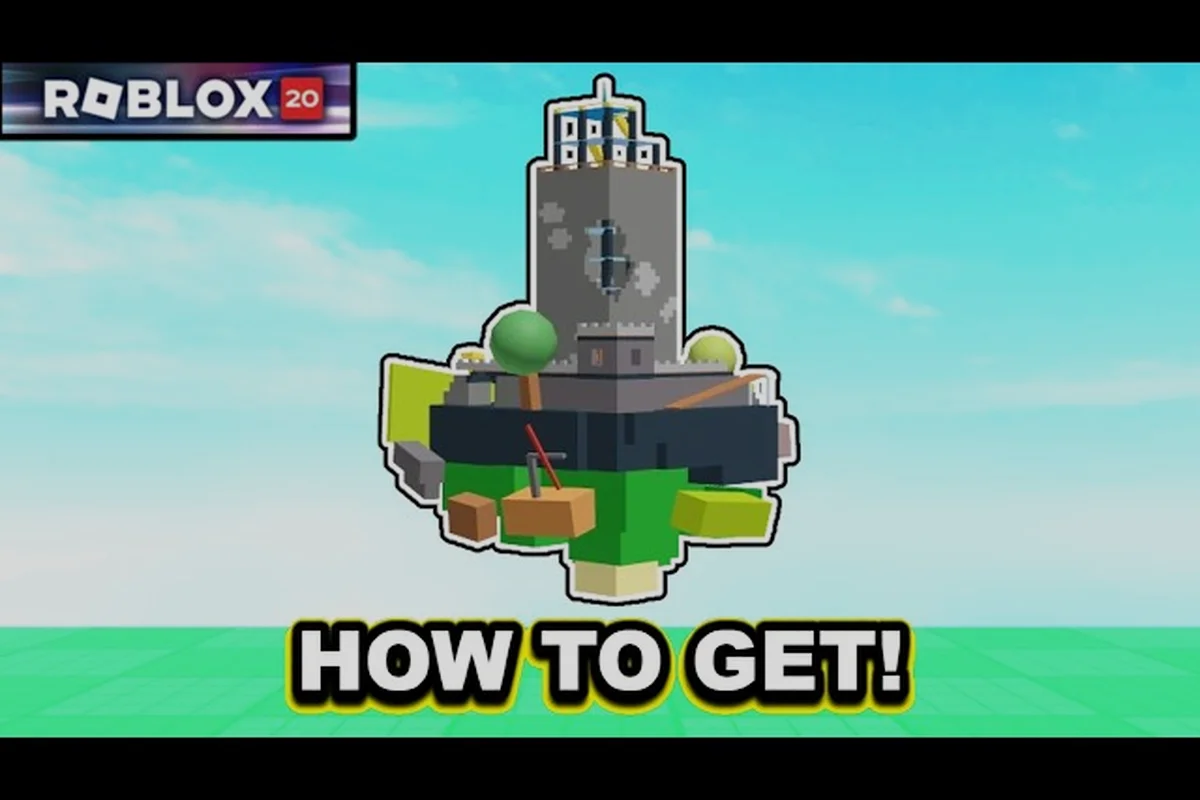
The Hunt: Roblox 20 Leather Adventure Backpack is one of the most sought-after free UGC drops tied to the platform's 20th anniversary event, and getting it requires finishing a single quest chain inside a specific year-locked game. Because the event runs only from September 17 to September 28, 2026, players who jump in late risk missing the claim window entirely. Knowing which game houses the backpack and the exact step sequence inside the hub saves time and guarantees the cosmetic lands in your inventory before the event shuts down.
The Leather Adventure Backpack: Item Profile and Origins
The Leather Adventure Backpack is a permanent Limited Item granted through The Hunt: Roblox 20, Roblox's official 20th-anniversary platform event developed by the Roblox Presents group. Unlike standard avatar shop purchases, this backpack drops only when a player completes the in-game task for a specific year inside the event's chronological year-unlock structure. Once claimed, the item is bound to the player's account permanently and cannot be re-earned after the event ends.
The event itself follows a strict 2006 → 2025 → Year Infinity progression flow, where each year corresponds to one of Roblox's most iconic classic games. Players spawn into the Event Hub, pick the first year, finish the related quest, return to the hub to claim the reward UGC, and then unlock the next chronological year. After clearing all 20 base years, a secret Year Infinity tier opens, offering an additional round of UGC drops from post-2025 standout titles.
| Event Attribute | Value |
|---|---|
| Official Name | The Hunt: Roblox 20 |
| Developer Group | Roblox Presents (groupId 4111519, verified) |
| Event Window | 2026-09-17 15:00 PT → 2026-09-28 10:00 PT |
| Total UGC Items | 20 base + Year Infinity bonus drops |
| Reward Type | Permanent Limited UGC, one per year |
| Claim Location | Central Event Hub after each year quest |
Players who finish every year walk away with a full set of throwback cosmetics, and the Leather Adventure Backpack specifically rewards fans who push through the late-stage years. Because the item is event-exclusive and never re-offered, missing it means waiting for a potential future re-release, which Roblox has not confirmed.
Which Year Drops the Leather Adventure Backpack
The Leather Adventure Backpack is the reward tied to the Adopt Me year slot inside the event. Adopt Me represents the 2017 entry in the chronological year-unlock sequence, which means players must clear every year from 2006 through 2016 first before the backpack even becomes claimable. This gate structure is intentional, mirroring how Roblox's own history layered classic titles year over year.
| Year Slot | Game | Reward UGC |
|---|---|---|
| 2006 | Classic: Crossroads | Crossroads Tower |
| 2007 | Sword Fights on the Heights IV | Dual of the Heights |
| 2008 | Rocket Arena | Brick-Blast Jetpack |
| 2009 | Chaos Canyon | Crest of the Canyon |
| 2010 | Work at a Pizza Place | Pizza Sprint Cap |
| 2011 | Natural Disaster Survival | Storm-Trooper Helmet |
| 2012 | Base Wars: The Land! | Base Commander Beret |
| 2013 | Apocalypse Rising 2 | Wasteland Field Pack |
| 2014 | Murder Mystery 2 | Knife-Edge Wings |
| 2015 | Lumber Tycoon 2 | Timber-Foreman Vest |
| 2016 | Roblox High School (Spotlight Legacy) | Legacy Letterman Jacket |
| 2017 | Adopt Me | Leather Adventure Backpack |
The Adopt Me quest inside the event is structured as a short, linear task rather than a full session of pet trading. Players spawn into a custom Adopt Me map, follow the on-screen breadcrumb trail, and complete a single objective that typically takes under ten minutes. The Leather Adventure Backpack is then delivered to the player's inventory the moment they return to the central Event Hub and interact with the year-2017 claim pedestal.
Community walkthroughs on YouTube confirm that the Adopt Me quest is among the more straightforward year tasks, because the Adopt Me development team pre-built a streamlined objective for event participants. The main time sink is the wait to unlock 2017 in the first place, not the quest itself.
Step-by-Step Claim Path Inside the Event Hub
Players who want the Leather Adventure Backpack should follow a deliberate sequence from the moment they load into The Hunt: Roblox 20. Rushing without planning usually means missing claim animations or accidentally re-entering a previously cleared year and wasting cooldowns. The path below reflects the chronological unlock order verified by community testing on day one of the event.
Step 1: Enter the Event Hub and Pick Year 2006
When you first join the event, you spawn in the Event Hub, a central plaza with 20 doorways arranged in a semicircle. The leftmost door is locked and labeled with the year 2006, the rightmost with 2025. Interact with the 2006 door to launch into Classic: Crossroads. Finishing the Crossroads quest and returning unlocks the Crossroads Tower UGC and opens 2007.
Step 2: Clear Years 2006 Through 2016 in Order
Each year follows the same loop: enter the door, finish the in-game quest inside the host game, return to the hub, and claim the year-specific UGC from a glowing pedestal. The full sequence from 2006 through 2016 covers twelve games, and most individual quests take between five and fifteen minutes. According to community timing data, clearing the first twelve years typically takes about two hours of focused play.
Step 3: Launch the 2017 Adopt Me Year
Once 2017 unlocks, the door labeled Adopt Me becomes interactable. Step through to load the custom Adopt Me event map. The quest inside usually involves adopting a specific pet type, reaching a target location, or delivering an item to an NPC. Players report that the Adopt Me year is one of the smoother year quests because the in-game map is small and the objective is clearly marked.
Step 4: Return to the Hub and Claim the Backpack
After the Adopt Me quest completes, you teleport back to the Event Hub automatically. Walk to the 2017 claim pedestal, which displays a backpack icon and the text "Leather Adventure Backpack." Interact with the pedestal to trigger a short claim animation, after which the UGC appears in your Roblox inventory under the Accessories category. The item is permanent, Limited, and tagged with the Hunt 20 event label.
Other UGC Drops Worth Grabbing While You Unlock the Backpack
Because the Leather Adventure Backpack requires clearing 16 years before it becomes available, players naturally pass through 16 other UGC drops along the way. Some of these items are equally event-exclusive and worth understanding so you can prioritize your session time. A few stand out for collectors because of their visual uniqueness or their connection to deeply nostalgic Roblox titles.
| Year | Reward | Notable Trait |
|---|---|---|
| 2018 | Bandit's Bandana | Drops from the Jailbreak quest, western aesthetic |
| 2019 | Hounds of the Zero | World Zero themed, dark fantasy wings |
| 2020 | Kittykanka | Piggy crossover cosmetic, animal-themed |
| 2021 | Willows Legacy Hood | Willow's Legacy inspired hooded cloak |
| 2022 | Time Travel Schoolpack | Limited school-themed backpack variant |
| 2023 | Roblox Plus Hard Hat | Subscriber-flavored hard hat |
| 2024 | Build A Boat for a Top Hat | Build A Boat for Treasure reward |
| 2025 | Twentieth Teapot | 20th anniversary celebratory item |
Players who collect the full 20-item set also unlock a hidden Roblox Plus flair, although Roblox has not publicly documented the exact perk. Community testing suggests the flair changes the player's nametag color in supported games, but this remains unverified by Roblox's official Spotlight FAQ as of the writing date.
Mistakes That Lose the Leather Backpack
Even though the Adopt Me quest is short, players regularly lose the Leather Adventure Backpack to avoidable mistakes. The event window only runs until September 28, 2026, and Roblox does not extend the deadline once it closes. Avoiding the pitfalls below makes the difference between a complete collection and a permanent miss.
Mistake 1: Skipping Year Order
The event enforces a strict chronological unlock flow, which means players cannot jump straight to 2017 to grab the backpack early. Attempting to enter a locked door simply bounces you back to the hub. Some third-party guides incorrectly claim you can shortcut the order, but the underlying gate is server-side and cannot be bypassed.
Mistake 2: Leaving the Hub Without Claiming
Each year quest delivers a reward only when the player walks back to the hub and interacts with the matching claim pedestal. If you quit the event immediately after the Adopt Me quest completes, the Leather Adventure Backpack never registers in your inventory. Always confirm the claim animation plays before exiting.
Mistake 3: Confusing the Backpack With Other Drop Variants
Roblox has released multiple backpack-shaped cosmetics over the years, and the catalog search for "backpack" returns dozens of unrelated items. The Leather Adventure Backpack from The Hunt: Roblox 20 is a specific Limited Item with the event tag, and it is not interchangeable with the separately-released Time Travel Schoolpack or any premium shop backpack. Players tracking the full set of Limited Items tied to the event will find that the The Hunt Roblox 20 Rewards page lists every reward drop, its rarity, and how the Leather Adventure Backpack fits into the broader loot pool, making it clear why it cannot be swapped for the Time Travel Schoolpack or any premium shop backpack.
The Hunt's 20-Leather Adventure Backpack, one of the most coveted accessories in the game, can be obtained by trading with the Skeleton King NPC in the Fantasy Zone after reaching at least Level 15 and completing the introductory Lost Supplies quest, as demonstrated in the official Hunt Roblox showcase video.
Mistake 4: Waiting Until the Final Day
The event ends on September 28, 2026, at 10:00 PT, and Roblox's servers often experience heavy congestion in the final 24 hours. Players who delay until the last day risk disconnects, queue times, and missed claim windows. Community data from day one of the event shows peak concurrency above 195,000 simultaneous users, and late-stage load is expected to spike further.
Tips for Finishing All 20 Years Quickly
Speed-running the year-unlock flow is the most reliable way to secure the Leather Adventure Backpack, the Bandit's Bandana from Jailbreak, the Hounds of the Zero from World Zero, and every other UGC drop in a single play session. The tips below are drawn from community testing during the event's launch window and are designed to minimize downtime between year transitions.
-
Use the in-game year tracker: the Event Hub includes a small UI panel listing your current year progress. Glance at it before re-entering a door to avoid wasting time on a year you have already cleared.
-
Skip non-essential NPC dialogue: most year quests have a short intro cutscene that can be skipped with the on-screen prompt. Holding the skip button saves roughly two minutes per year, which compounds across 20 years.
-
Pre-load the host game: before stepping through a year door, click the host game's icon on the hub plaque to launch it in a separate Roblox window. The event doorway then teleports you instantly instead of triggering a full client load.
-
Bring a friend for late-year quests: some year quests, particularly the World Zero year, scale difficulty when multiple players are present. A two-player squad clears the Hounds of the Zero quest in roughly half the time of a solo run.
-
Check the official Hunt 20 Spotlight FAQ: Roblox publishes event updates through the in-game Spotlight page, and patch notes occasionally shift quest locations. A quick check before each play session avoids retracing steps.
Players who follow these tips typically complete the full 20-year loop in under three hours, leaving the rest of the event window to pursue Year Infinity and any bonus drops Roblox adds during the final days, which makes the backpack a realistic middle-tier goal rather than an endgame grind.
Frequently Asked Questions
Which year is the Leather Adventure Backpack tied to in The Hunt: Roblox 20?
The Leather Adventure Backpack drops from the 2017 Adopt Me year. You must clear every year from 2006 through 2016 before the 2017 door unlocks, then finish the Adopt Me quest and claim the backpack at the 2017 pedestal in the Event Hub.
Can I get the Leather Adventure Backpack without finishing all previous years?
No. The event enforces a strict chronological unlock order, and the 2017 door stays locked until every prior year has been completed and its UGC claimed. Skipping ahead is not supported by the server-side gate, so players who try to bypass the early years end up back at the 2006 door with no progress gained.
Is the Leather Adventure Backpack a Limited Item?
Yes. Once claimed, the Leather Adventure Backpack is tagged as a permanent Limited UGC tied to the Hunt 20 event. Roblox has not announced any future re-release, so the only way to obtain it is by completing the 2017 Adopt Me year before September 28, 2026.
Do I need Roblox Plus to claim the Leather Adventure Backpack?
No. Roblox Plus is a separate subscription service and is not required for any year quest or UGC claim inside the event. Every reward, including the Leather Adventure Backpack, is available to all players who complete the corresponding year quest.
What happens if I miss the event window?
After September 28, 2026, the Event Hub becomes inaccessible and all unclaimed UGC, including the Leather Adventure Backpack, becomes permanently unobtainable through the event. Roblox may revisit specific items in future promotions, but no re-release has been confirmed for this anniversary cycle.